
Continue learning when connectivity is unreliable
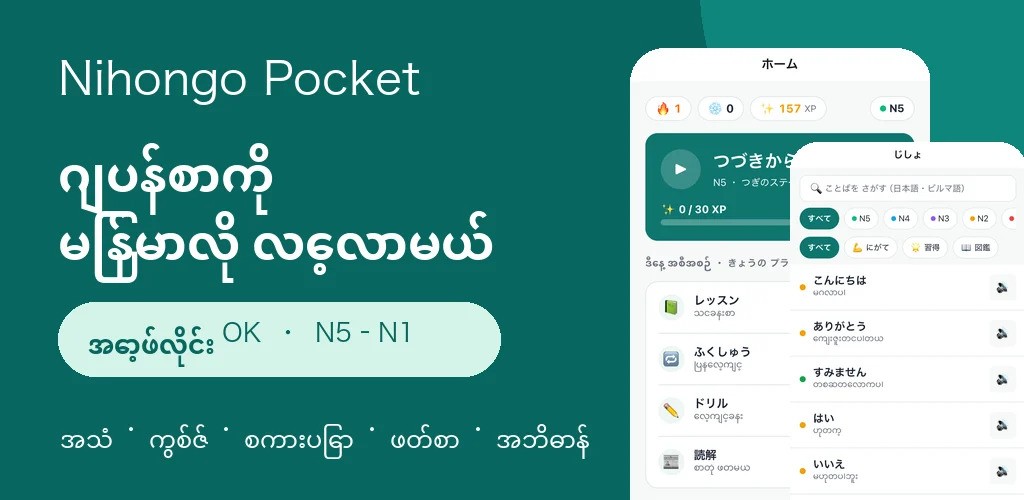
Nihongo Pocket is a Japanese-learning app for Burmese-speaking learners. Vocabulary, conversation, grammar drills, reading, and dictionary features combine Japanese audio with Burmese explanations, with material designed around JLPT N5–N1.
Connectivity can vary by place and time. Interrupted downloads and mobile data usage can make a constantly connected design impractical. The app therefore centers on downloading material for subsequent offline use.
Technology and local-first state
The mobile stack is Expo 57, React Native 0.86, TypeScript, and Expo Router. It uses expo-sqlite for progress and download state, expo-file-system for packs and audio, expo-audio for playback, and expo-background-task for background resume work.
Cloudflare Workers and Hono provide manifests and progress APIs. D1 supports progress backup based on anonymous user IDs; R2 and CDN delivery carry audio bundles, content JSON, and assets. A Node.js and TypeScript pipeline validates content, generates speech, and builds packs.
Learning results are written locally first. Cloud backup is a recovery mechanism, not a response the learner must wait for before attempting the next question.
Starter material and small packs
A lightweight starter, including introductory vocabulary, stories, and audio, is bundled with the app. It lets learners begin without waiting for the first network request.
Additional material is divided into level- and theme-based packs, with roughly 3–6MB as a sizing guide. Completed packs remain available offline. Removing a pack to free storage does not remove the locally recorded learning progress.
Pre-generated synthetic speech
Japanese speech is generated in advance with Irodori TTS, delivered through R2, and played from local storage after download. This is synthetic speech, not individual recordings by a human speaker.
Audio uses 32kbps mono MP3 at 24kHz. The generation pipeline normalizes loudness to limit abrupt differences between learning items.
Bundling reduces request count
The pipeline concatenates MP3 files into audio.bundle and records offsets, sizes, and hashes in audio-index.json.
In a development measurement covering the initial download of 37 packs and 9,620 audio files, bundling reduced the expected 9,657 HTTP requests to 101: a 98.95% reduction in request count. The largest measured bundle was about 4.24MiB. This does not mean download time or total transferred bytes fell by 98.95%.
Downloaded bundles are expanded into individual MP3 files and checked for position, size, and SHA-256 integrity. Unchanged audio can be reused when content is updated.
Resume and integrity checks
Download state is kept in SQLite. The app attempts to resume after restart, foreground return, or reconnection. Actual behavior depends on operating-system scheduling, network conditions, and available storage.
Learners can pause and resume downloads and choose Wi-Fi-only downloads. Content JSON is fetched before audio so text-based study can begin first.
Checksums detect mismatched files and support re-fetching. Versioned URLs help keep an in-use pack coherent while an update is being delivered.
AI drafts and native-speaker feedback
AI supports initial vocabulary, example, conversation, and exercise drafts. Deterministic checks cover character encoding, prohibited terms, and JSON structure. Developer review considers meaning, learning flow, and difficulty. Burmese native-speaker feedback adds judgment about everyday context and natural phrasing.
Not every curriculum item has completed individual native-speaker review. AI or automated review is not presented as native approval. The workflow combines the different roles while continuing to improve coverage and quality.
Design for the actual environment
Offline use is not merely an added setting. It shapes the data model, audio format, delivery packs, interface, and review workflow.